Turn MIDI into in-game performance
Import a MIDI file and turn it into game keyboard input that plays itself.It all runs locally — free to use, with a one-time Pro purchase when you need the advanced features.
Buy Pro once for a fixed US$3 to unlock it. Your activation code is sent by email.
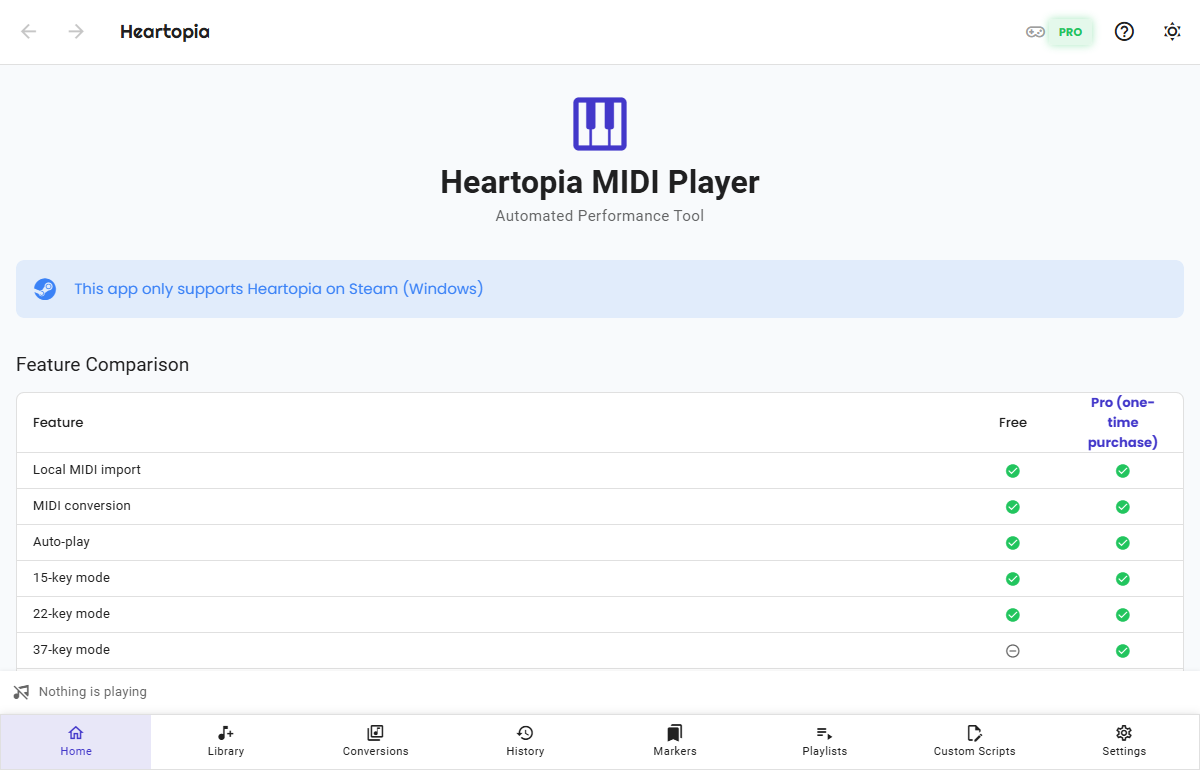
Heartopia MIDI Player is an unofficial, third-party auto-play tool that controls the game by simulating keyboard input. Using automation like this may violate the game's Terms of Service or fair-play policy and carries a risk of account restriction or suspension. Use it at your own discretion and risk; we are not responsible for any action taken against your account.
Features
Convert once, replay any time
Turn a MIDI into game key presses and let it play. Songs you perform often can be saved as markers, lined up in playlists, or forked into custom scripts so you can pick them up again next time — and when you want to write your own, there are layered compositions.
Import MIDI, convert locally
Drop in a MIDI file and it turns into game key presses, with repeated presses merged automatically. Pick a 15 / 22 / 37-key layout (37-key is Pro) and a conversion style like Flow, Pulse, or Lift.
Play with the game window focused
Playback keeps the game window focused; lose focus and it pauses automatically and saves your position.
History and notes
Every performance leaves a record you can annotate and favorite, making it easy to organize the songs you perform often.
Markers
Save the performance sections you love as markers and start from them again anytime.
Playlists
Organize your favorite performances into lists you can reorder and play from any entry.
Custom scripts (fork & edit)
Fork an editable script from any conversion, fine-tune the key presses and timing freely, and play it directly. The original conversion is untouched, so edits stay safe and reversible.
Compositions: write in layers
One instrument per layer. Draw an idea straight into notes and hear it in the editor, with previews that can use the instrument voices extracted from your own copy of the game. To perform it for real, turn one layer into a custom script.
Up and running in three steps
No fiddly setup — import, convert, and start playing.
Import a MIDI
Just drag your .mid files into the Music Library.
Convert it
Pick the keys and style; one click makes a game-ready version.
Start playing
Open the game, switch to it, hit Start, and it plays for you.
No MIDI file yet? Find free instrumental MIDI online, or search the web (e.g. Google) for "MP3 to MIDI" — you'll find plenty of free online converters. Turn a single-instrument (solo) MP3 / WAV into a .mid there, then import it (avoid tracks with several instruments at once).
Free vs Pro
Pro unlocks advanced performance
The free version imports, converts, and auto-plays with the 15- and 22-key layouts, plus history, favorites, and extracting instrument voices from the game.Pro unlocks the 37-key layout, pause and resume, speed control, markers, playlists, the up-next queue, custom scripts, and layered compositions.
| Feature | Free | Pro One-time |
|---|---|---|
| Local MIDI import | ||
| MIDI conversion | ||
| Auto-play | ||
| 15-key layout | ||
| 22-key layout | ||
| 37-key layout | ||
| Basic playback controls (start / stop) | ||
| Advanced playback controls (pause / resume / scrub) | ||
| Real-time speed control (0.25x – 4x) | ||
| Playback history | ||
| Resume from a history breakpoint | ||
| Start playing from a chosen time | ||
| Markers: save frequently used sections | ||
| Playlist: auto-play multiple scripts in order | ||
| Up-next queue: slot a song in and reorder what plays next | ||
| Custom scripts: edit key presses and wait times | ||
| Compositions: multi-layer grid editor with preview | ||
| Extract game instrument voices for composition previews | ||
| Notes and favorites |
Pricing
Buy once — no account, no subscription
Buy Pro at a fixed price to unlock every advanced feature forever.No monthly fee, no auto-renewal.
Fixed price ・ unlock once ・ lifetime use ・ no account
Buy Pro at a fixed price to unlock it. Your activation code is emailed to you; buy several copies at once to gift them and each one gets its own code. You can pay through Buy Me a Coffee or Ko-fi — same price either way.
Download the free version firstAbout refunds
This product is a digital license. Once payment succeeds, your activation code is emailed to you, so refunds are not offered.
We recommend downloading the free version and trying it out first to confirm it fits your needs and your computer, then buying Pro.The free version is full-featured and has no time limit.
Use the free version as long as you like, then upgrade once you are sure
Your activation code is emailed to you after payment
Switching computers? Contact us to help reset the binding
FAQ